
Description
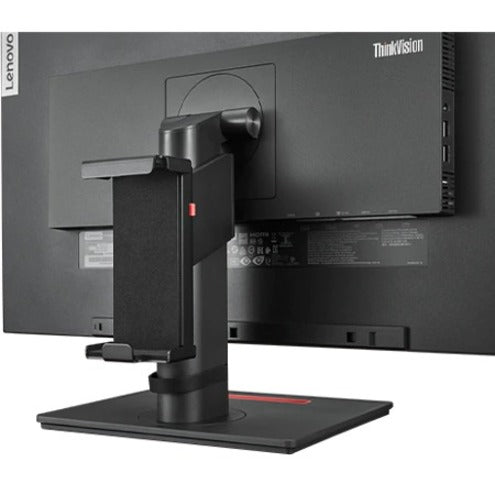
Lenovo Mounting Bracket for Docking Station, Monitor
Overview
Clean desktop, less cable hassle, restore clean and tidy desktop with 3 steps! Maximize your work space and keep it clean with Lenovo Docking Station Mounting G2! Mount your ThinkPad Cable Dock onto the ThinkVision specified 24″ and 22″ monitor or mount it under-desk!
Features & Benefits
- Easy to setup, mount your dock in 3 steps
- One solution, two scenarios, mount your Dock to back of Monitor or under your woody desk
- Universal design, one bracket to support all ThinkPad cable Docks and specified Thinkvisual T/P monitors
- Allows the rod to flex and rotate, but stay firm in the position where it is attached to the frame
- Supports the screen size of 24″

Reviews
There are no reviews yet.